



 Share
Share








Brand: |
none |
Address: |
China |
Min.Order: |
none |
Supply: |
none |
Valid until: |
Long Term |
Product Details
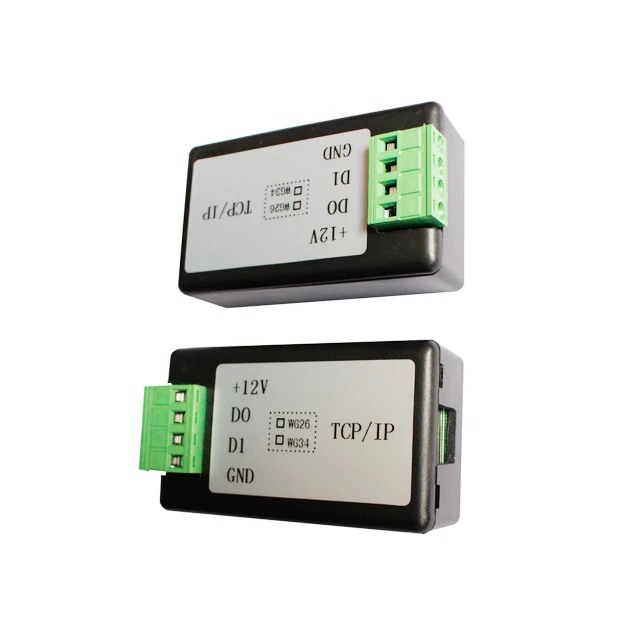
Wiegand to TCP converter support WG26/34 to Httpd UDP TCP/IP Ethernet communication
Wiegand(26/34 Bits) to TCP/IP Ethernet dual-way transmission converter
Product Description
Standard Wiegand communication converter is designed for transfer Wiegand data (26bit
34bit) with other device which have Wiegand input interface. It mainly use for hand-held testin
tool or embedding into products manufactured by third-parties, especially for our RFID an
access control system solution.
The converter support double-way transmission, can transfer Wiegand 26bit or Wiegan
34bit data to TCP/IP data, also can transfer data via TCP/IP interface to Wiegand 26bit
Wiegand 34bit data.
Standard Wiegand output 26bit data in default (Wiegand 34bit and other format as optional
standard TCP/IP output ASCII number (hex format as optional) with communication protoc
based on 9600,N,8,1 standard.
WG 26/34/66 Wiegand to TCP converter to UDP TCP/IP Ethernet communication converter for access control
Technical Specification
Size: 90mm x 45mm x 35mm
Net Weight: 0.1KG
Operating voltage: DC 9V-12V;
Baud rate: 9600 (N, 8, 1)
Network interface: Super port USR-K1 Ethernet RJ45 port (it adopt 10M/100M self-adaption
interface, support AUTO MDI/MDIX,support 2KV Electromagnetic isolation)
Network protocol: support Ethernet, ARP, IP, UDP, TCP, etc.
Working Temperature: -25~75℃
Storage Temperature: -40~105℃
Storage Humidity: 5%~95% RH

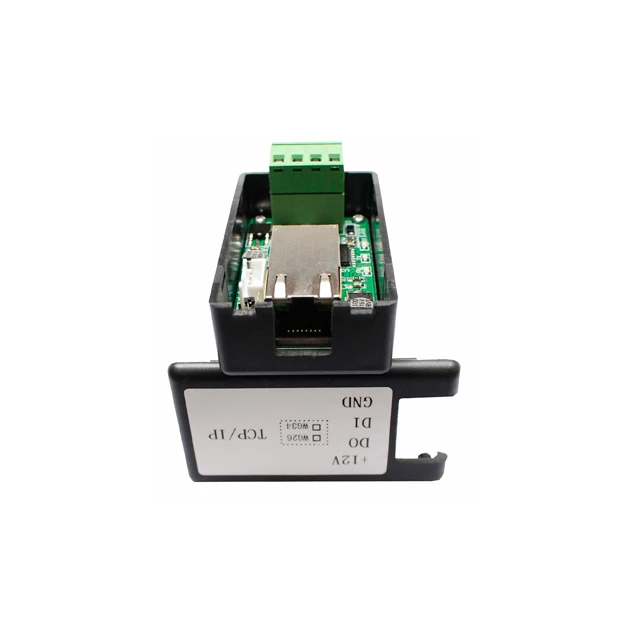
For TCP/IP (RJ45) interface: it adopt 10M/100M self-adaption interface,
support AUTO MDI/MDIX, so you can connect the converter with your
computer direction, and also can testing direct. Here is the detail definition:
PIN | Name | Description |
1 | TX+ | Transceiver data+ |
2 | TX- | Transceiver data- |
3 | RX+ | Receive data+ |
4 | NC | Not connected |
5 | NC | Not connected |
6 | RX- | Receive data- |
7 | n/c | Not connected |
8 | n/c | Not connected |
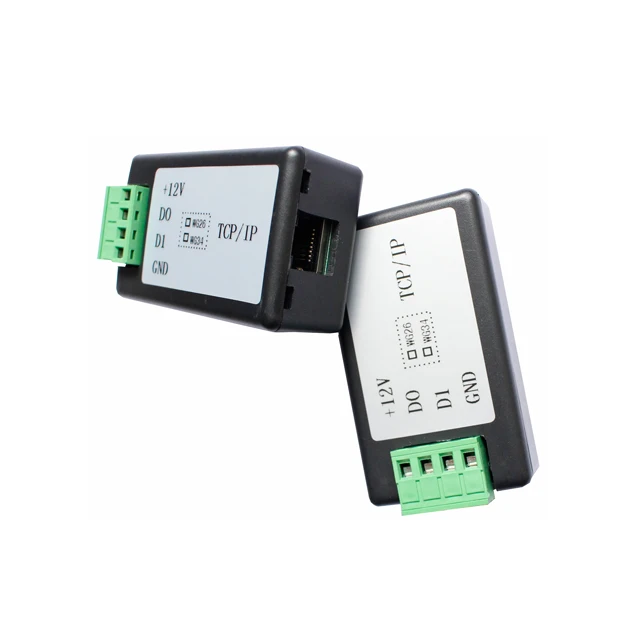
Module Appearance:
Refer to the picture, you can check the appearance and size:
The picture for reference only, the TCP/IP module can get changet to K2 or K3, or other modes.
Software and testing
We can provide testing software, please download from our website:
Here is the screen copy of the testing software:
The default parameter of the device had set as the screen picture.
Any more questions, please contact us by email for get more support!
Product Appearance for reference:


Customer Reviews total 0 items